QR Code Business Card (vCard Plus)
QRCodeChimp’s QR Code Business Card, formerly known as vCard Plus, lets you share your professional contact information through a QR code. People can scan it to view your digital card, save your details, and connect with you.
- ✅ Share your contact and professional information with a scan
- ✅ Let people save your details without entering them manually
- ✅ NFC-enabled sharing — tap to connect, no app needed
- ✅ Update your information without replacing the QR code
Your first card is free forever.
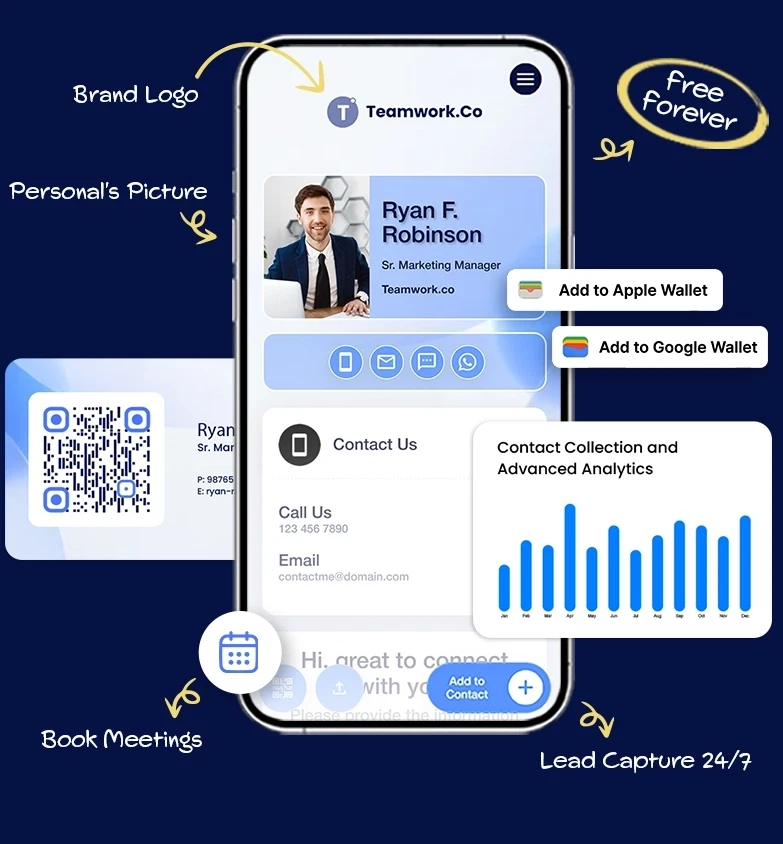
What Is a QR Code Business Card?
A vCard Plus, also known as a QR Code Business Card, acts as your digital business card. You can link your contact information, like name, address, email, phone number, social media, and more, to it.
People can scan the QR code to view your details, save your contact information, and connect with you. They can open your digital business card and save your contact without manually entering your details.
New cards can be created using QRCodeChimp’s Digital Business Cards solution. Existing vCard Plus users can continue editing and updating cards already in their accounts.
How Does a QR Code Business Card (vCard Plus) Work?
A QR Code Business Card acts as a digital business card and allows you to share your contact details in a quick, convenient way.


How to Create a QR Code Business Card
Create the card on the Digital Business Cards page, then share its QR code wherever you connect with people.

GTIN, batch, or expiry.
QR Code Business Card – Create Your Digital Business Card
Add digital capabilities to your business card and share your contact details with a single scan
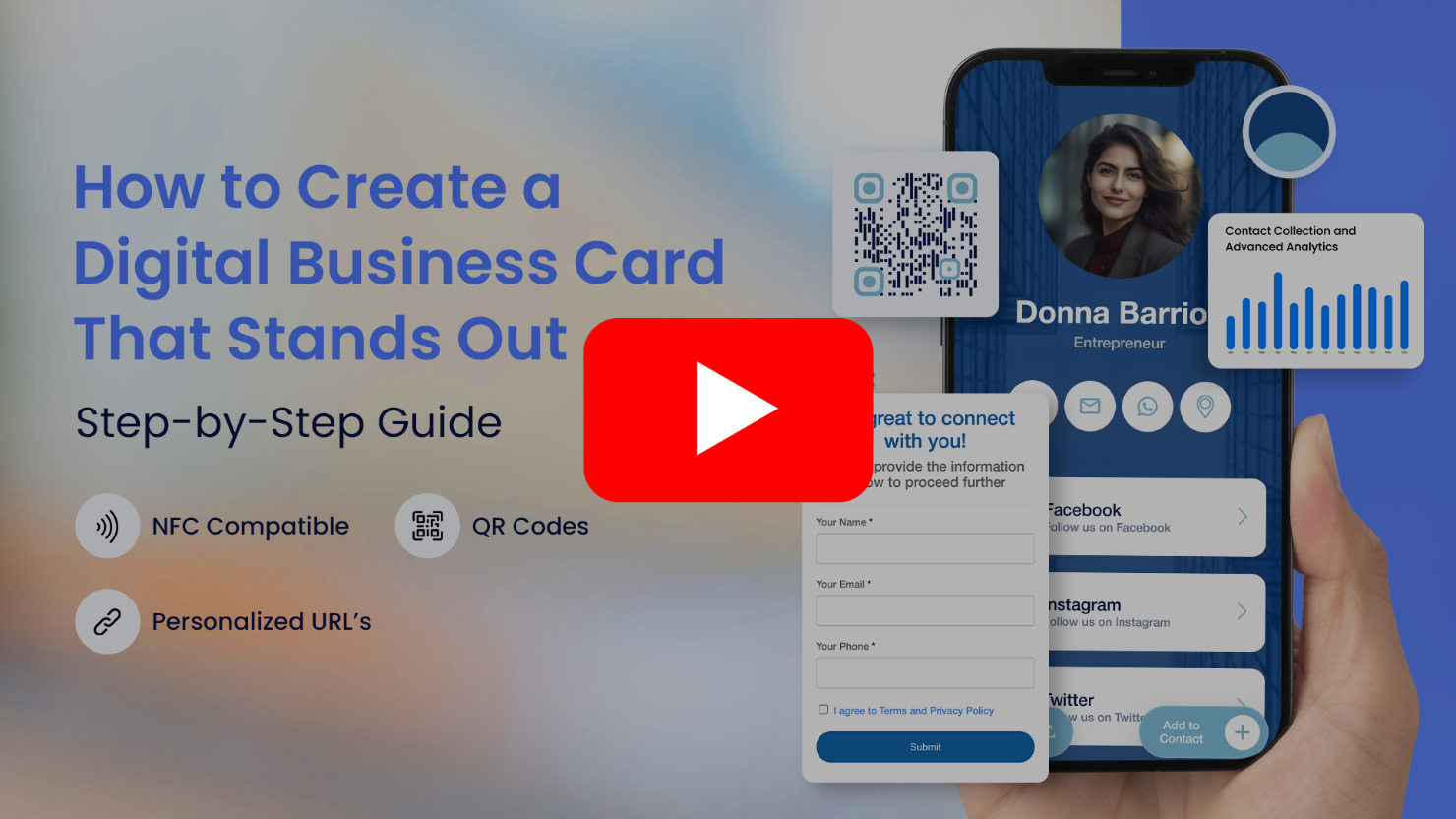
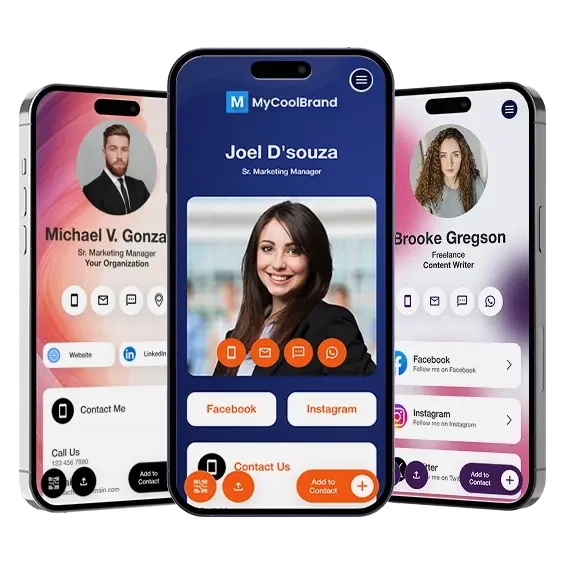
What You Can Do with a QR Code Business Card
The strongest capabilities from the current feature section are retained here without repeating the full Digital Business Cards product page.
Benefits of a QR Code Business Card (vCard Plus)
A standard business card contains printed information that recipients must save manually on their phones. A QR code business card makes that process quicker and easier.
- Save contact details instantly:Allow people to save your contact instantly without typing your details manually.
- Share more information:Share a wide range of information, including images, work details, websites, and social links.
- Update without reprinting:Update information in real time without having to reprint the QR code.
- Make follow-ups easier:Make it easier for people to contact and follow up with you after a meeting or event.
- Create a professional experience:Create a professional, branded contact-sharing experience across printed and digital materials.
- Share wherever you connect:Use the same QR code on printed business cards, resumes, email signatures, event materials, and presentations.

Where To Share a QR Code Business Card
All professionals, including entrepreneurs, government officers, artists, healthcare professionals, realtors, service providers, and consultants, can use a vCard to increase awareness and grow their network. Use your QR code where people may need to view, save, or return to your professional information.


Best Practices for QR Code Business Cards
You can get the most out of this cutting-edge tool by following a few best practices when it comes to making the best QR code business card free of cost. Here are some ideas to think about:
-
Customize your profile
The first step is designing a profile page that reflects you and your brand. Do not overload the card with information; keep the content clear and well organized. -
Provide complete information
Ensure the digital business card page has all the necessary details. Add only essential information to the physical card; the remaining details can appear on the digital profile. -
Add a clear CTA
Add a short CTA near the QR code so people know what they can access by scanning it. -
Use your brand elements
Use your logo, brand colors, relevant images, and a design that supports a consistent professional identity. -
Regularly update your card
Update changes such as your phone number, address, email, portfolio, and professional information as soon as possible. -
Use clear, high-resolution images
Use a clear, well-lit profile image that remains sharp on different screen sizes. Make sure the QR code print quality is also high. -
Share useful links
Direct people to helpful resources such as your website, portfolio, or social media profiles. -
Maintain strong contrast
Use a QR code color that stands out clearly against its background. Dark patterns on a light background are usually the safest option. -
Preserve the quiet zone
Leave clear space around all four sides of the QR code and avoid placing it too close to a trim, fold, border, or busy graphic. -
Test before printing in bulk
Use a high-resolution file and test the final artwork on multiple iOS and Android phones, including a physical printed sample.
Create and Manage Your QR Code Business Card
with QRCodeChimp
QRCodeChimp's vCard Plus QR code generator helps you create a digital business card in less than two minutes. All you need to do is customize your display page, enter your contact details, design your QR code, and place it on your business card. QRCodeChimp comes with powerful vCard QR code creation and management features, like:





Frequently Asked Questions
- How to create QR Code for business card?
- Can I create a QR code Business Card for free?
- How can people save my contact information using a vCard Plus QR code?
- Where can I use a QR code business card?
- Can I change the information linked to my digital business card?
- Can I create a QR Code for my website or URL?
- Can a QR code replace a business card?
- Is the QR Code Business Card secure?
Frequently Asked Questions
How to create QR Code for business card?
Creating a QR Code business card is quick and easy. Just follow the steps in our digital business card guide to create and share your digital visiting card in minutes.
Can I create a QR code Business Card for free?
Yes, your first QR Code Business Card is 100% free and always will be.
All you need to do is visit the Digital Business Cards solution and add the information that you want to display.
Now, design your QR code, download it and print it on your business card or embed it on NFC card.
Your QR code visiting card is ready to be shared.
How can people save my contact information using a vCard Plus QR code?
People need to scan your Card QR code and click on 'Save to Contacts' on the display page. Android users can open the VCF file to save the contact, while iOS users can select the Create New Contact option to save it.
Where can I use a QR code business card?
A QR Code Business Card is highly versatile, and you can use it on your business cards, resumes, online profiles, emails, portfolio, and more.
Whether you want to attract clients, customers, partners, investors, or employers, a digital business card QR code helps you do that.
Can I change the information linked to my digital business card?
Yes. You can update your contact details and other information while continuing to use the same QR code.
Can I create a QR Code for my website or URL?
Yes, you may create a QR code that will redirect your users on scan to your website or URL. For that you have to use our main QR Code Generator solution.
Can a QR code replace a business card?
A QR code can't completely replace a traditional business card's tactile and personal touch. However, adding your virtual card QR code to your business card can significantly enhance its functionality and connectivity, making it a superior networking tool.
Is the QR Code Business Card secure?
Yes. QRCodeChimp is SOC 2 Type II certified and uses platform security controls to protect account and hosted-page data. It supports GDPR-aligned data practices, while multi-factor authentication, single sign-on, and additional organizational access controls are available depending on the plan and setup.
Testimonial
Discover why People Love to use QRCodeChimp.com

The amazing variety of designs you offer to make the QR codes more appealing!
My experience with QRCodeChimp has been very interesting. It’s the only platform I came across that allowed me to create a QR code for an instant WhatsApp message link. Plus, the amazing variety of design options helped me customize my QR codes and make them look enticing. As soon as I created those beautiful preset designs, I knew I would have to bookmark this website.
Tracking facilities, I really love this website!
QRcodechimp is amazing and totally customizable. I tried many QR code generators and got nothing. I like QR code customization the most. I would like to rate QRCodeChimp 9.5

Now its easy to find Dr. Diabeat
Hi, this is Dr. Dharmendra Panchal, Founder Chairman, Diabeat - Digital Diabetes Clinics. We are currently using a QR code that easily leads our customers to find the nearest Dr. Diabeat Digital Diabetes Clinic available and keeps our clients connected to us. QRCodeChimp is very easy to use and does work for all my clients.
Creating QR codes was very easy!
Hello, I'm Marion, and I'm preparing an online congress. I have developed 10 digital guides; these guides are presented in my book and can be accessed directly via a QR code. Creating QR codes was very easy, and it worked well, generating 15+ codes quickly and easily. Thank you, and we look forward to coming back to the platform for our next project.
We feel very happy to provide a rating of 10 out of 10!
We are very much satisfied and really appreciate the QR code service provided by QRCodeChimp.com Customization features like different styles, colors, and adding a logo make the QR codes attractive. Also, PDF generation is up-to-date. QRCodeChimp.com is very useful for our startup business.
Thank you for your hard work and for the wonderful service/product you provide!
I am very pleased with the free plan and fascinated by the included features. It's amazing how much better your product is compared to other free generators available. And basic analytics... OMG, it's awesome! You guys are awesome! I'm hooked, and you now have my loyalty. If I need a creative and appealing approach for my presentations, QRcodeChimp is my game. QRCodeChimp is a solid 10+
Simple and elegant card pages
We rolled these out for our sales team and the scans simply work. Support is quick too.
I think your service is absolutely awesome, user-friendly and innovative to say the least.
I played around with various designs and was absolutely amazed by the variety of functions and designs you have available. I could use and create multiple designs according to each of my advertisement needs. The functionality is great and the scans are trackable in a simple dashboard making it easy to see how many prospective customers scan your QR Code. It really offers so much!
Variety of shapes is fantastic!
The QR code is great, having the ability to include a logo in the middle. I used QRCodeChimp to create a code for our club event registration because I was offering entry to the staff of a sponsor, so I wanted a great way to capture their interest. We were fortunate that our club's mascot, a turtle, is included in the range of shapes that QRCodeChimp has as standard.
I am very happy with your product!
It was very simple to use; I needed two qr codes- one as a business card for myself and the other for my small business. They looked great, and I got some compliments on them! Thank you so much for making this available!
My Go-to solution!
The best, since I started using it, is my go-to when I need a QR Code. I can easily download QR codes in PDF and PNG formats. I rate QRCodeChimp 9/10.
Fantastic, absolutely love it
I am using it as an out-of-office notifier on my door. My boss is so impressed that he wants to implement it across our whole department. I like the dynamic ability - I can change the line I use for my whereabouts multiple times per day without the QR code changing.
We had 100% participation!
I created QR codes of different shapes to collect feedback at our church. Putting the survey online was the best option. The shapes offered by QRCodeChimp were just what I was looking for, and I was able to print labels with two different shapes. Thanks to the unique and amazing shapes, we had 100% participation! I especially loved the instructions and guidance offered on your website for creating codes.
It's really easy to navigate around!
We like the options that are available. After some research, we've decided to cut our printing cost by placing our product story on a QR code rather than having the entire story on the back of the bag. We also like the ability to choose the size and style of the QR code.

Your platform is too good!
Thank you so much for your service. I am a digital marketer, and I have used your platform to create google review codes for my client. We are witnessing a phenomenal surge in reviews due to the ease of process established due to your QR code mechanism.
Very good experience using your services!
QRCodeChimp exceeds all my expectations. With a great variety of features and options, it's difficult to decide which one's my favorite. I like them all, and I'm totally satisfied with QRCodeChimp.
I love the different templates that can be used for the QR code that you offer!
Your site is so user-friendly. I had never created a QR code prior to signing up and now I feel like an expert. So many options and ways to customize. I absolute love it.
Easy to use!
I just made a few QR codes for use in my classroom. Your page was very easy to use.

Love the fact you can bespoke the 'shape' of the QR code away from the BAU square.
Great, really easy to use and I love the company name too. love your name, logo, brand generally and the simplicity of being able to create QR codes for free - just keep up the great work people!
I really enjoy the site.
I'm a teacher and with all the links for students, it can be overwhelming. I use the shape feature the most. I use it for clubs, classes, and sports. Personally, I use it for my singing group.
Your website made it doable for someone like me who is technically challenged.
Thank you for offering a free service. This was for a work project, and I had a quick turnaround time and no extra funds. I will definitely tell others about QRCodeChimp.
Your site provides an excellent experience!
As an exhibition curator, having my artist's artwork listing accessible to visitors through QRCodeChimp is a great experience. You can trust the artists to change the piece's name and resume every day, so having a dynamic QRCode was a must. QRCodeChimp brings exactly this and is Free! Thank you for your implementation.
QRCodeChimp is straightforward and easy to use
Having the ability to show my first client a QR code that linked to the demo page immediately got his attention. I was able to make a QR code for it with a shape for his business and FB page. The ability to put a social media icon in the middle of the QR code to show where that code leads is extremely helpful, as well as being able to create codes in different shapes relating to the client's business and colors similar to their logo or color scheme really helps make them a satisfied client.
Thank you that we can reach our customers better with QR Code Chimp!
We include a QRCodeChimp business card with every order. So we can stay much closer and easier in touch with our customers with one scan. Since we are a young start-up, we rely on free options like the ones from QRCodeChimp; with the numerous features from you, we are more than satisfied.
Everything is perfect, I would recommend it to all my friends
I uploaded the QR Code created by your website in my smartwatch, and whenever someone asks me for my contact details, I extend my arm for them to scan the watch; people think this is one of the coolest ways they've seen to exchange contacts.
Attracting event Registration Responses by Innovative way
It was an idea to reach to much more people in a short span of time, So it was an idea to reach out to many people. QR Code was very helpful for people to attract get registration for event & people were also responding fast; because of innovative & attractive idea.

Being Eco- Friendly and Go Green in Business Life!
In a rapidly changing business life, I also have to change my business cards. By using less ink, paper, time, and money still, I can reflect all the changes in my business card in the quickest, easiest, and most stylish way. Wherever I use QR business cards during events, meetings, forums, and exhibitions, I both protect nature and stand out by making a difference.

Using the QR code has help people to find us faster through my Instagram
It's been hard for someone to see all the services I offer from my company, and giving an outline of the links made it easy by having that easy connection better than a business card.


