Location QR Code Generator for Google Maps
Create a free QR code for location from a Google Maps link. Let people find you with one scan that opens your location in maps and starts directions. No typing the address, no wrong pins.


Free Google Maps QR Code Generator for Location QR Codes
Direct your customers to the right destination with a single scan — no manual searching needed.


What Is a Location QR Code?
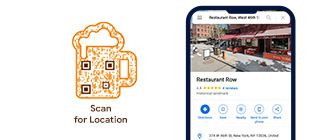
A location QR code, also called a Google Maps QR code or map QR code, is a QR code that opens a specific location on Google Maps. When someone scans it, they can view the address, check the route, and start navigation. You can create a QR code for any location that has a shareable Google Maps link, including a business listing, address, dropped pin, current location pin, or GPS coordinates opened in Google Maps.
What Google Maps Locations Can You Turn Into QR Codes?
QRCodeChimp creates a location QR code from a Google Maps link. You can use any location that can be opened and shared from Google Maps.
Business listing
Search for a listed store, restaurant, hotel, office, venue, or attraction on Google Maps and copy its share link.
Street address
Search for an address on Google Maps, confirm the pin, and copy the share link to create a QR code for that address.
Dropped pin
Drop or select a pin on Google Maps for a current location, pop-up site, meetup spot, stall, or temporary venue.
GPS coordinates
Enter latitude and longitude in Google Maps, open the exact spot, and copy the share link to create a QR code for that location.
How Does a Location QR Code Work?
A location QR code creates a direct path from your printed or digital material to your Google Maps location.


Benefits of Using a Google Maps Location QR Code
A Google Maps QR code offers a seamless way to give directions to your customers. Here’s why you should use location QR codes.
-
Quick directions
Users can scan the QR code, open your Google Maps location, and start navigation in seconds. -
No manual search
Visitors do not need to type your address or search for your business manually. -
Better visit experience
Help customers, guests, patients, students, buyers, or attendees reach the right place with less friction. -
Easy to share
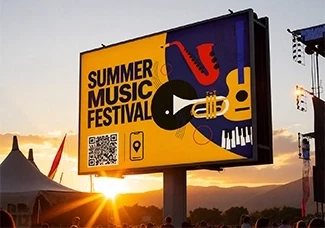
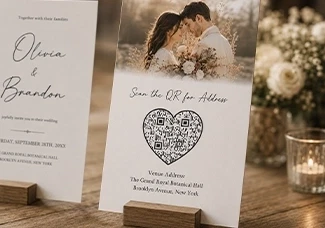
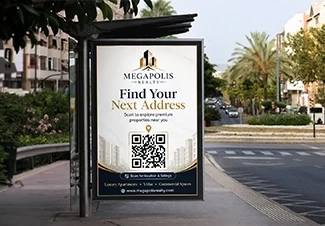
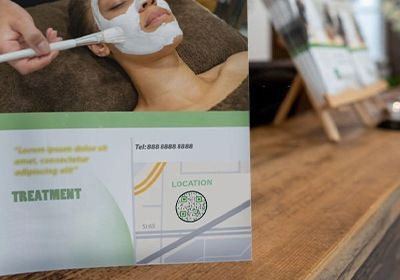
Add your location QR code to flyers, brochures, posters, invitations, websites, emails, packaging, or signage. -
Useful for any location
Use it for stores, restaurants, hotels, offices, event venues, real estate properties, campuses, and more. -
Less navigation friction
Make it easier for people to move from interest to visit by giving them direct access to your map location.

Who Should Use a Location QR Code?
A location QR code generator is useful for any business, event, or organization that wants people to open its Google Maps location and get directions with one scan.



Best Practices for Using a Google Maps QR Code
Follow these best practices to keep your Google Maps QR code accurate, easy to scan, and effective across print and digital campaigns.
-
Use the exact Google Maps link
Search for your business, address, venue, or dropped pin on Google Maps, confirm the location, and copy the correct share link. -
Choose a reliable location QR code generator
Use a secure platform like QRCodeChimp to create, customize, manage, and track location QR codes. -
Customize the QR code design
Add your logo, brand colors, QR shapes, and stickers while keeping the design simple and easy to scan. -
Use a relevant CTA sticker
Choose a sticker with built-in CTA text so users can quickly understand that the QR code opens a location or directions. -
Check size and placement
Make the QR code large enough for the scan distance and place it where users can easily see and scan it. -
Test before printing
Scan the QR code on iPhone, Android, and common QR scanner apps to confirm the correct Google Maps location opens.
Why Use QRCodeChimp’s Location QR Code Generator?
QRCodeChimp’s location QR code generator helps you create, customize, manage, and track Google Maps QR codes in one place. It is ideal for businesses, teams, agencies, events, and multi-location brands that need reliable QR codes for location sharing.


- How to create a Google Maps QR Code?
- How do I generate a QR code for location for free?
- Do users need a specific app to scan a location QR code?
- What if my location changes in the future?
- Can I track the performance of my location QR codes?
- Is a location QR code generator better than a location barcode generator?
- How do you put a QR code on an invitation?
- Do I need a Google Maps link to create a location QR code?
- Can I create a QR code for an address, dropped pin, or GPS coordinates?
- Can I create multiple Google Maps QR codes at once?
- How do users scan a location QR code?
- Can I create a QR code for an address?
How to create a Google Maps QR Code?
Create a Google Map QR code by obtaining the URL of the target location and linking it to a QR code. The process is easy and takes a few seconds. Here's how to create QR code for location:

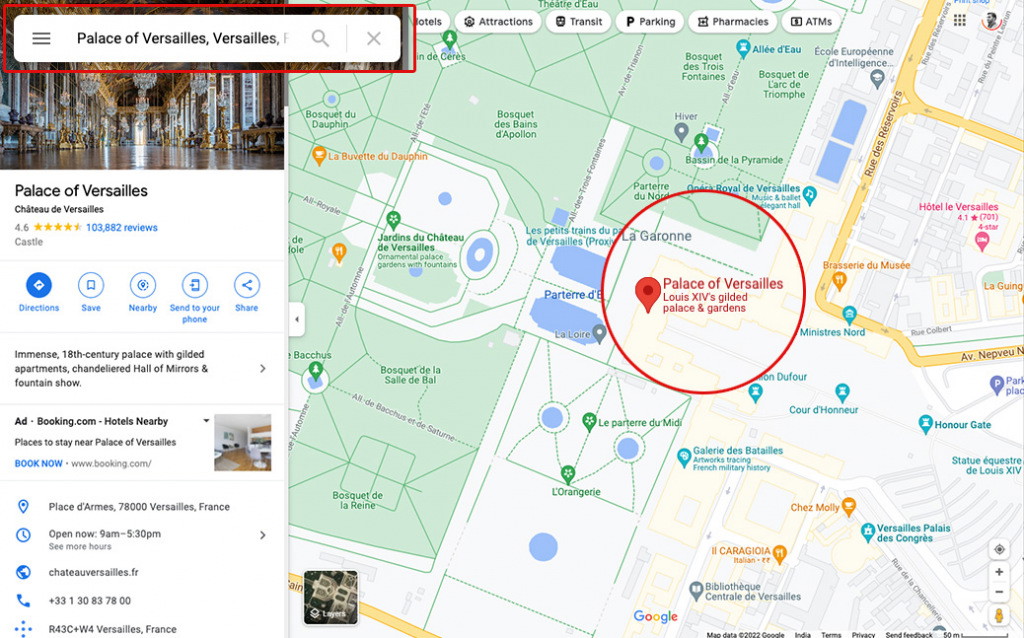
Step 2: Enter the Location
Enter the location for which you want to create the QR Code, and make sure to adjust the location pin for accuracy.
Step 3: Share and Copy Link
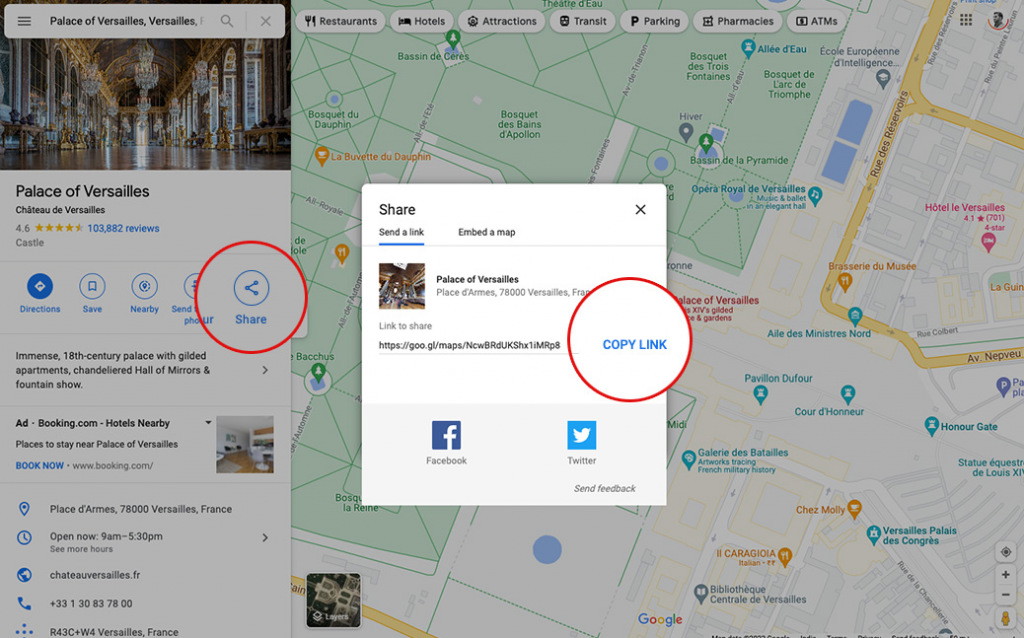
Click on 'Share' and then click on 'Copy Link.'
Step 4: Paste the Copied Link
Paste the copied link in the 'Google Map URL' field of QR Code Generator for Google Maps.
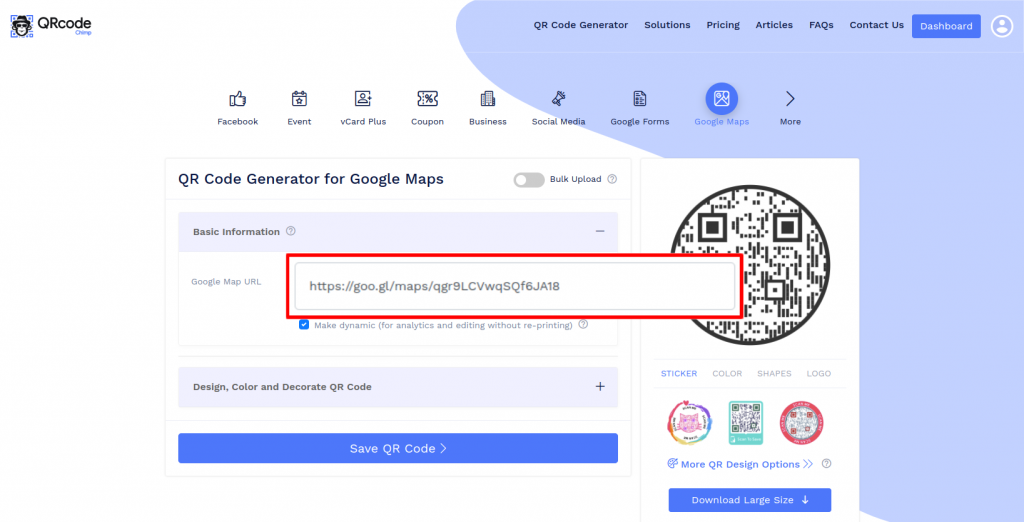
Step 5: Design Your QR Code
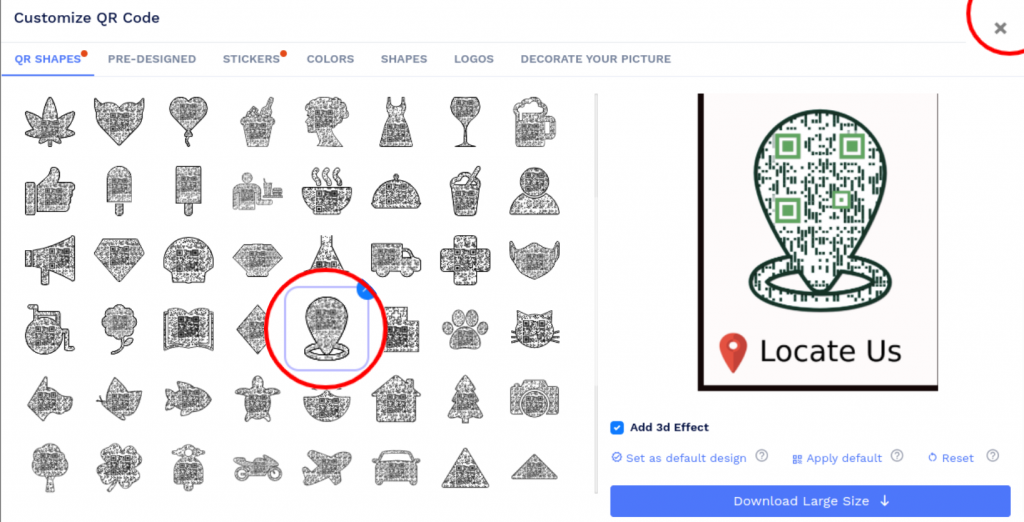
Click on 'Design Color and Decorate QR Code' to customize your QR Code design (ex: adding a location shape, color, sticker).
Note: Click on the 'x' icon of the 'Customize QR Code' popup to save changes.
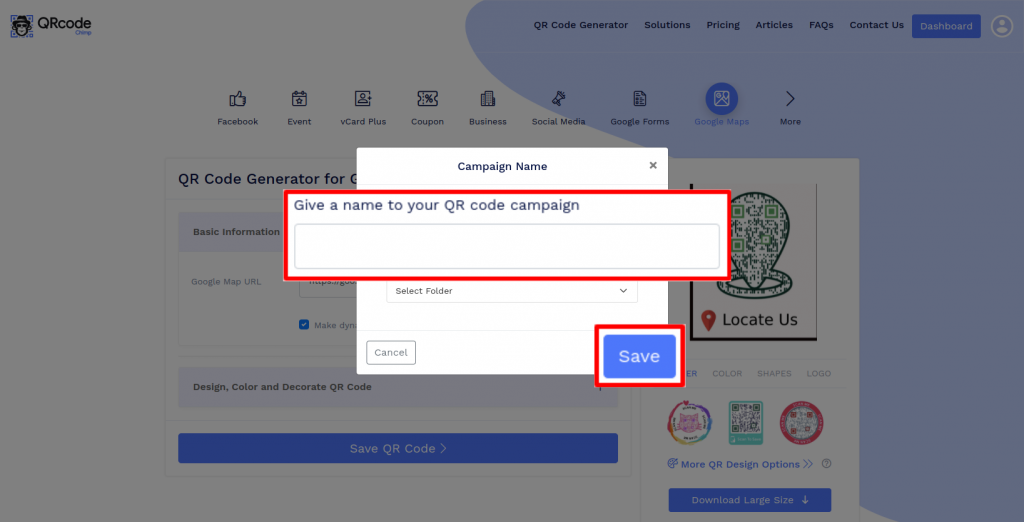
Step 6: Save and Download
Save the QR Code by clicking on the 'Save QR Code' button, entering the QR name, and then clicking on 'Save.'
Note: Make sure to scan your QR Code from different devices (iOS and Android) before printing for production.
How do I generate a QR code for location for free?
You can create a free location QR code in less than a minute with QRCodeChimp. Paste your Google Maps link, customize the QR code, test it, and download it for print or digital sharing.
Do users need a specific app to scan a location QR code?
No, they don’t need any specific application to scan the code. Nowadays, all smartphone cameras come with built-in support for QR code scanning. Hence, all your customers need to do is open their camera and point it towards your location QR code.
What if my location changes in the future?
QRCodeChimp's map QR code generator allows you to create dynamic location QR codes. When you make a dynamic QR code, you can change the location and other information linked to it without changing the QR code. Therefore, you can make changes in real-time without creating a new QR code every time.
Can I track the performance of my location QR codes?
Yes, our QR code generator for Google Map lets you track the performance of your QR code campaigns. QRCodeChimp comes with an advanced dashboard that provides detailed scan data, including location-wise analysis, time-wise analysis, and top-performing QR codes and locations.
Is a location QR code generator better than a location barcode generator?
Yes, a Google Map QR code generator is better because it offers more customization options. On the other hand, barcodes support limited customization. Location QR codes can also carry more information than location barcodes.
How do you put a QR code on an invitation?
Once you have designed the QR code, download it and test it.
Now, include the QR code in the invitation design. Ensure it's the right size and not covered by any elements.
Once you get the test print, scan the QR again and have your QR code on an invitation.
Do I need a Google Maps link to create a location QR code?
Yes. QRCodeChimp creates location QR codes from Google Maps links. Search for your business, address, venue, dropped pin, or coordinates on Google Maps, copy the share link, and paste it into the Google Map URL field.
Can I create a QR code for an address, dropped pin, or GPS coordinates?
Yes. Open the address, dropped pin, current location pin, or GPS coordinates in Google Maps first. Then copy the Google Maps share link and use that link to create your location QR code in QRCodeChimp.
Can I create multiple Google Maps QR codes at once?
Yes. QRCodeChimp supports bulk upload, so you can create multiple location QR codes for branches, stores, venues, events, properties, campuses, or client campaigns.
How do users scan a location QR code?
Users can scan a location QR code with their phone camera, Google Lens, or a QR scanner app. Once scanned, the Google Maps location opens so they can view the place and start directions.
Can I create a QR code for an address?
Yes. Open the address in Google Maps, confirm the correct pin, copy the share link, and paste it into QRCodeChimp’s Google Map URL field to create a location QR code.
Hear What Our Customers Have to Say!

Now its easy to find Dr. Diabeat
Hi, this is Dr. Dharmendra Panchal, Founder Chairman, Diabeat - Digital Diabetes Clinics. We are currently using a QR code that easily leads our customers to find the nearest Dr. Diabeat Digital Diabetes Clinic available and keeps our clients connected to us. QRCodeChimp is very easy to use and does work for all my clients.
We had 100% participation!
I created QR codes of different shapes to collect feedback at our church. Putting the survey online was the best option. The shapes offered by QRCodeChimp were just what I was looking for, and I was able to print labels with two different shapes. Thanks to the unique and amazing shapes, we had 100% participation! I especially loved the instructions and guidance offered on your website for creating codes.
Very good experience using your services!
QRCodeChimp exceeds all my expectations. With a great variety of features and options, it's difficult to decide which one's my favorite. I like them all, and I'm totally satisfied with QRCodeChimp.
I love the different templates that can be used for the QR code that you offer!
Your site is so user-friendly. I had never created a QR code prior to signing up and now I feel like an expert. So many options and ways to customize. I absolute love it.
Love the fact you can bespoke the 'shape' of the QR code away from the BAU square.
Great, really easy to use and I love the company name too. love your name, logo, brand generally and the simplicity of being able to create QR codes for free - just keep up the great work people!
I really enjoy the site.
I'm a teacher and with all the links for students, it can be overwhelming. I use the shape feature the most. I use it for clubs, classes, and sports. Personally, I use it for my singing group.
Your website made it doable for someone like me who is technically challenged.
Thank you for offering a free service. This was for a work project, and I had a quick turnaround time and no extra funds. I will definitely tell others about QRCodeChimp.
QRCodeChimp is straightforward and easy to use
Having the ability to show my first client a QR code that linked to the demo page immediately got his attention. I was able to make a QR code for it with a shape for his business and FB page. The ability to put a social media icon in the middle of the QR code to show where that code leads is extremely helpful, as well as being able to create codes in different shapes relating to the client's business and colors similar to their logo or color scheme really helps make them a satisfied client.


