Free Email QR Code Generator
Let people open a ready-to-send email in one scan, with your address, subject, and message already filled in. Add the QR code to packaging, flyers, business cards, or signage so customers can reach you without typing.


Email QR Code: QR Code Generator for Email
Allow your audience to contact you by email with a single scan


What Is an Email QR Code?
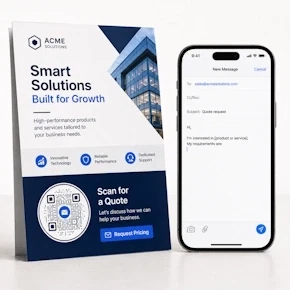
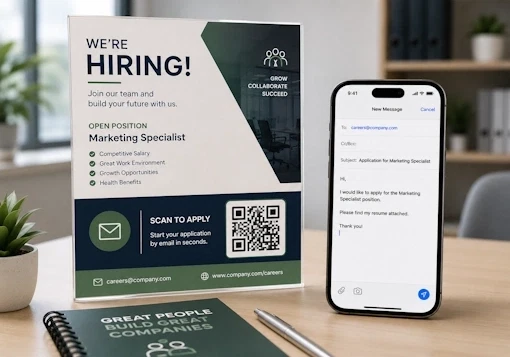
An Email QR Code contains your email address, subject, and message. When users scan the code, their email app opens with these details already filled in. They can review the draft and press Send to contact you.
The email action uses a mailto link, which is supported by most modern email apps. A static Email QR Code stores the email details directly, while a dynamic Email QR Code lets you update the details later and track scans.
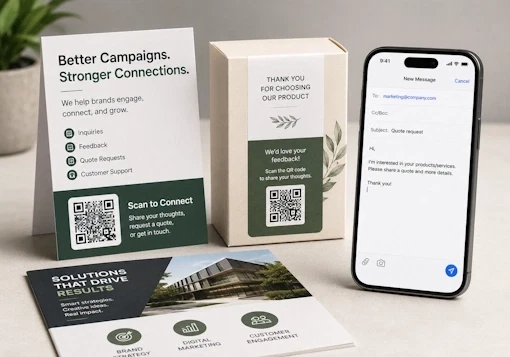
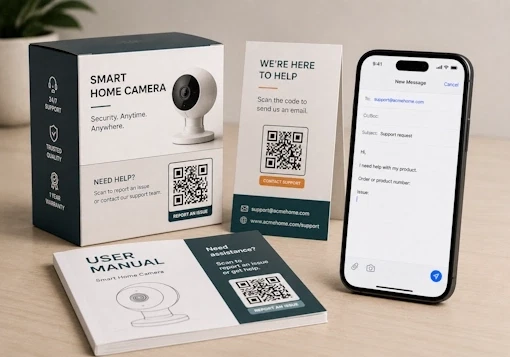
You can use an Email QR Code to make inquiries, support requests, feedback, job applications, quote requests, and other email interactions quicker and more convenient.
How Does an Email QR Code Work?
An Email QR Code turns a multi-step task into a single scan.


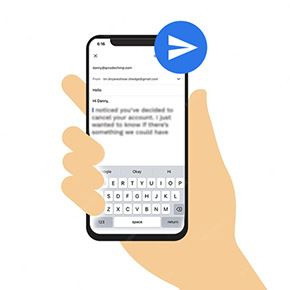
How to Create an Email QR Code
Follow these steps to create a QR code for an email address.

Static vs. Dynamic Email QR Codes
Both types can open a prefilled email. The key difference is whether the details can be edited and whether scans can be tracked.
| Feature | Static Email QR Code | Dynamic Email QR Code |
|---|---|---|
| Email address, CC, subject, and message | Cannot be edited after creation | Can be updated later |
| Scan tracking | Not available | available |
| Changing the email address | Requires a new QR code | Update it without reprinting |
| Best suited for | Permanent details and one-time use | Business, campaigns, packaging, and long-term printing |
Dynamic QR code analytics measure scan activity. They do not confirm whether the user sent the email after scanning.
Where to Use Email QR Codes
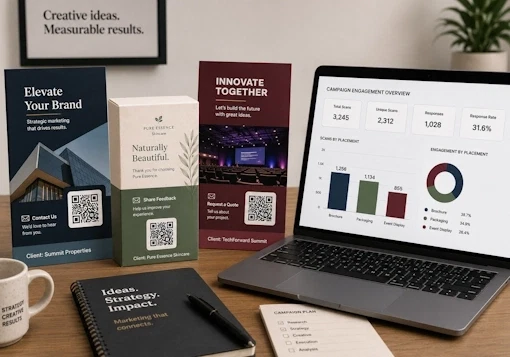
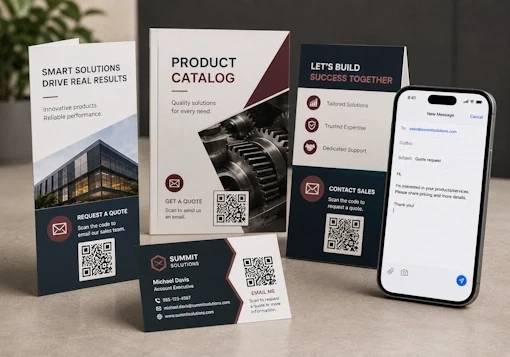
Print Email QR Codes on business cards, packaging, brochures, flyers, menus, invitation cards, signs, and other customer-facing materials.
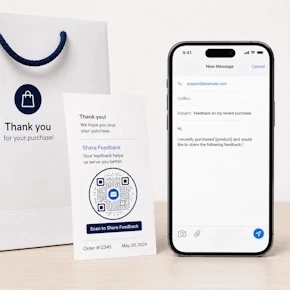
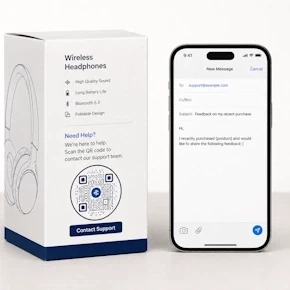
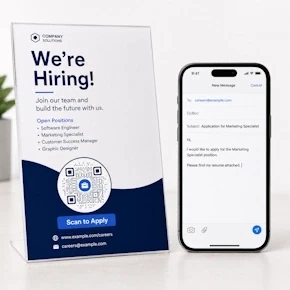
Benefits of an Email QR Code
An email QR code offers an effective way to connect with people on email and build your email list. Here's why you should use an email QR code:
-
Faster contact
Make it easier for people to contact you by email. -
Less typing
Eliminate the need to manually type the recipient email address, subject, and message. -
Fewer errors
Reduce the risk of emails being sent to the wrong address. -
More responses
Generate more inquiries, feedback, applications, support requests, and quote requests. -
Better experience
Provide a faster and more convenient customer experience. -
Editable details
Use a dynamic QR code to update email details without reprinting.

How to Get More Scans on Your Email QR Code
If you want more people to send you an email, you'll need to get more scans on your email QR code. Here's how to do that:
Ensure visibility and scannability
Print your QR codes at the right place for maximum visibility and reach. Newspapers, product packaging, and billboards are good channels. Also, print an email QR code of at least 0.8 x 0.8 inches, so people can quickly scan it.

Create an appealing design
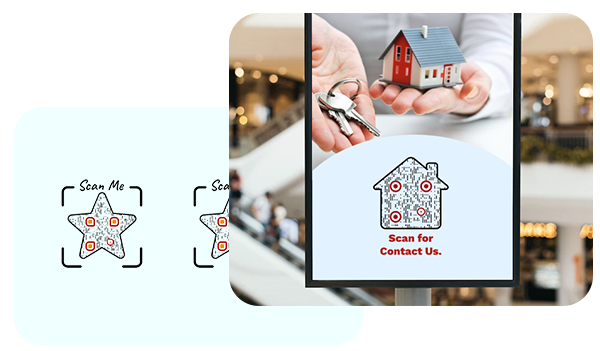
Make your email QR code catchy by customizing it using shapes and colors. Create a unique QR code that grabs people's attention.
Inspire action
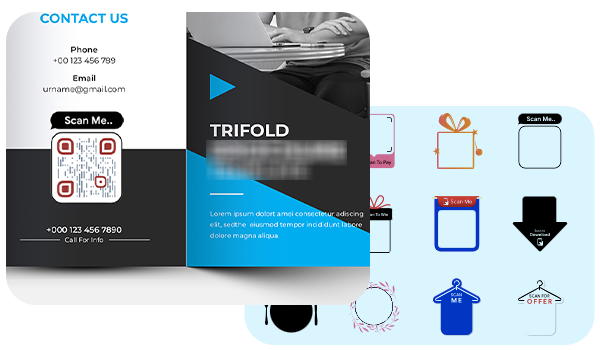
Add a call to action (CTA) to your QR code to inspire instant action. Choose from hundreds of stickers with CTAs in QRCodeChimp to make your QR codes actionable.
Make a dynamic QR code
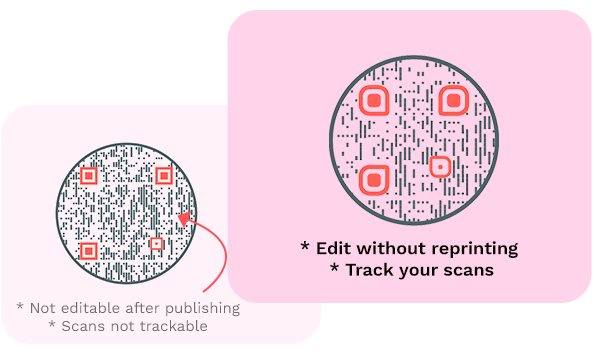
Always create a dynamic QR code so that you can edit your email QR code contents without reprinting the QR code. Also, a dynamic email QR code is trackable so that you can track its scans.
Who Should Use Email QR Codes?
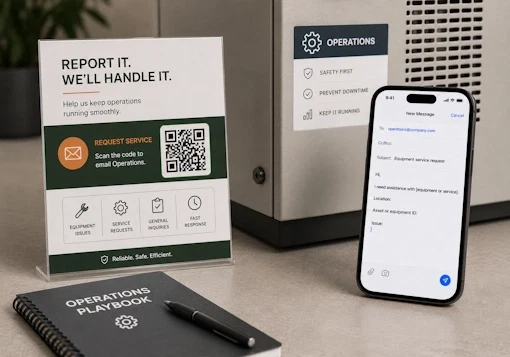
Any team that wants to make
Create and Manage Email QR Codes with QRCodeChimp
QRCodeChimp provides design, management, and analytics tools for using QR codes across campaigns and business operations.


Frequently Asked Questions
- How to create an Email QR Code?
- Where can I use a QR code for email?
- How can a user send an email using an email QR code?
- Why should I use an email QR code?
- What if my email ID changes in the future?
- Where should I print my email QR code?
- Can I add a subject and message to the Email QR Code?
- Is the Email QR Code generator free?
- Can I create a QR code for a Gmail address?
- Which email app opens when someone scans the code?
- Does scanning the QR code automatically send the email?
- Can I track whether someone sent the email?
- What should I do if the QR code does not open an email app?
- Where should I print my Email QR Code?
Frequently Asked Questions
How to create an Email QR Code?
Follow these steps to create an email QR code:
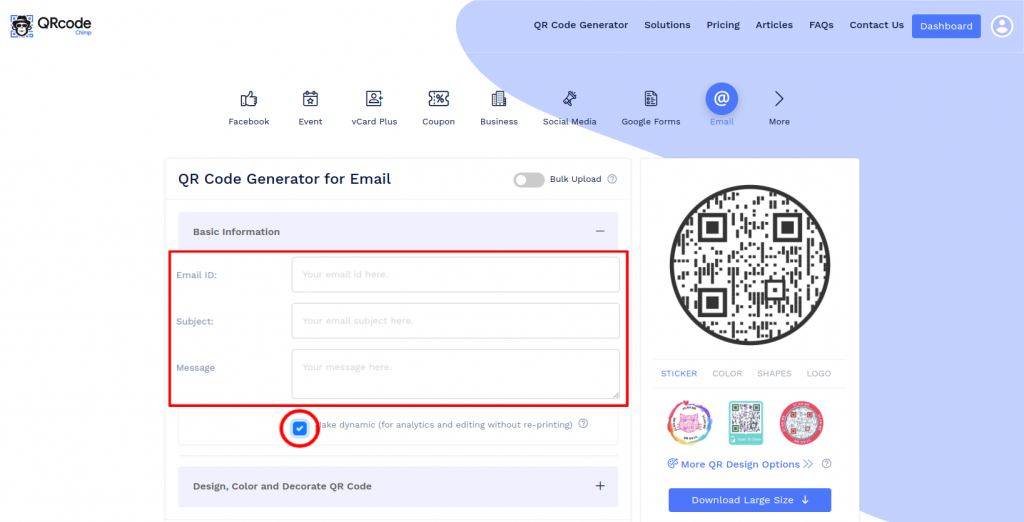
Step 1: Enter Email Id, Subject, Message
Enter the basic information details such as email id, subject, and message.
Note: Check the 'make dynamic' box to track the scans and edit without reprinting (optional).
Step 2: Design Your QR Code
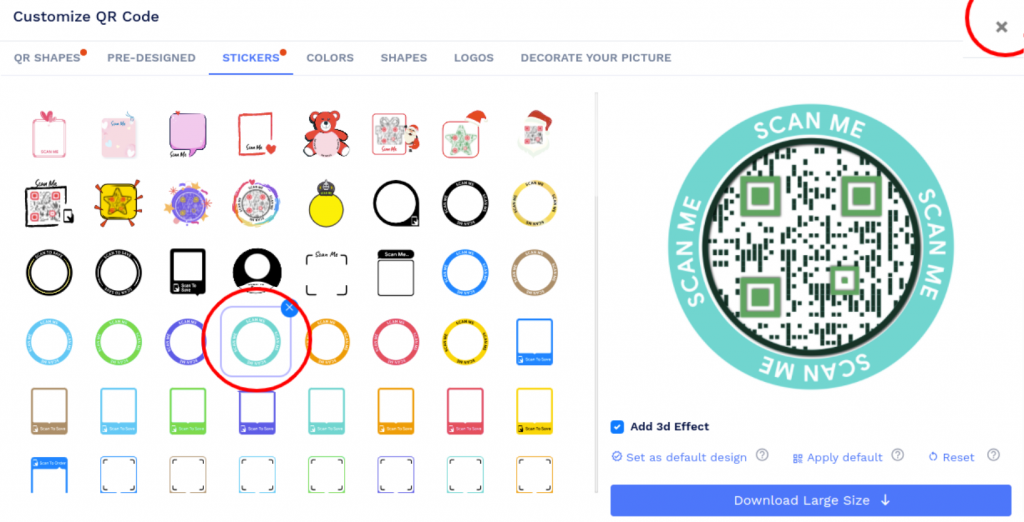
Click on 'Design Color and Decorate QR Code' to customize your QR Code design (ex: adding color, shape, sticker).
Note: Click on the 'x' icon of the 'Customize QR Code' popup to save changes.
Step 3: Save and Download
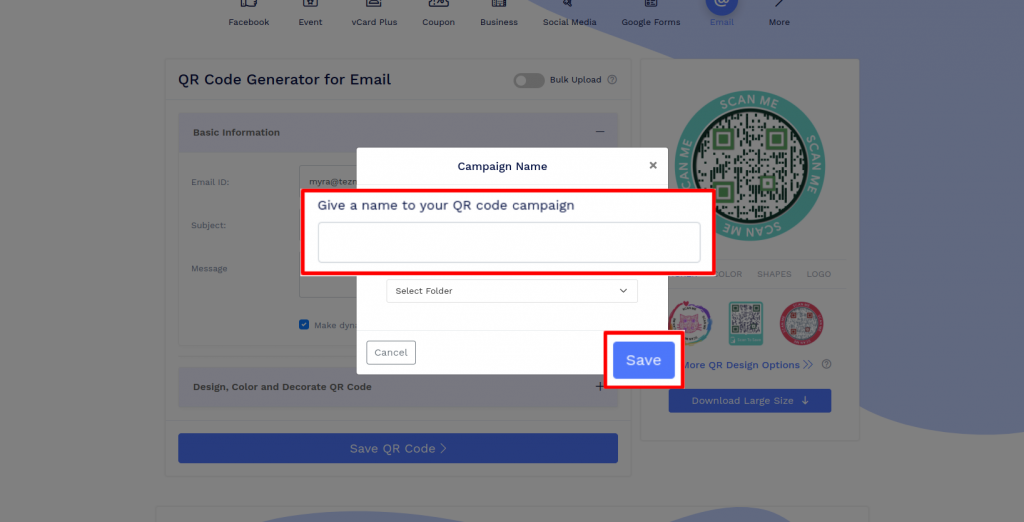
Save the QR Code by clicking on the 'Save QR Code' button, entering the QR name, and then clicking on 'Save.'
Note: Make sure to scan your QR Code from different devices (iOS and Android) before printing for production.
Where can I use a QR code for email?
You can print email QR codes on any promotional or marketing material such as business cards, product packaging, menu cards, or invitations cards to get RSVP.
How can a user send an email using an email QR code?
An email QR code makes it easier for a user to send an email. When users scan an email QR code, they get redirected to the email app. The recipient's email ID, subject, and message are already entered, and they just need to send the email.
Why should I use an email QR code?
An email QR code eliminates the need to manually open the email app, compose an email, and enter the recipient's email ID. Not only does the process become faster, but it also removes the risk of entering the wrong email address or message.
What if my email ID changes in the future?
You can change your email ID, subject, and message if you create a dynamic email QR code. However, if your email QR code is static, you’ll need to make a new QR code if your email address changes.
Where should I print my email QR code?
You can print your QR code on various offline channels, like newspapers, billboards, brochures, flyers, product packaging, and more. It's crucial to print your email QR code at places where it gets broader reach and visibility.
Can I add a subject and message to the Email QR Code?
Yes. You can prefill the recipient email address, CC recipients, subject, and message. To add multiple email addresses in the recipient or CC field, enter them as comma-separated addresses without spaces. The person scanning the QR code can edit these details before sending the email.
Is the Email QR Code generator free?
Yes. You can create and download an Email QR Code for free. QRCodeChimp's Free plan also includes a limited number of dynamic QR codes. Dynamic QR code limits, scan limits, and analytics history vary by plan.
Can I create a QR code for a Gmail address?
Yes. Enter your Gmail address in the generator, add an optional subject and message, and create the code. The same process works with Outlook, Yahoo Mail, iCloud, and custom company email addresses.
Which email app opens when someone scans the code?
The configured email app on the user's device opens. Depending on the device settings, this may be Gmail, Outlook, Apple Mail, or another email app.
Does scanning the QR code automatically send the email?
No. Scanning opens a prefilled email draft. The user must review the email and press Send.
Can I track whether someone sent the email?
Dynamic Email QR Code analytics track scans. They do not confirm whether the user sent or delivered the email, or whether you received a response.
What should I do if the QR code does not open an email app?
If the code scans but a draft does not open, check that an email app and email account are configured on the device. If the code itself does not scan, check its print size, contrast, quiet zone, and image quality. Test the final code on multiple iOS and Android devices before printing it in volume.
Where should I print my Email QR Code?
Print it on business cards, product packaging, brochures, flyers, menus, invitation cards, support documents, signs, and other materials where users may need a quick way to send an inquiry, request support, or provide feedback.
Hear What Our Customers Have to Say!

I am very happy with your product!
It was very simple to use; I needed two qr codes- one as a business card for myself and the other for my small business. They looked great, and I got some compliments on them! Thank you so much for making this available!
Fantastic, absolutely love it
I am using it as an out-of-office notifier on my door. My boss is so impressed that he wants to implement it across our whole department. I like the dynamic ability - I can change the line I use for my whereabouts multiple times per day without the QR code changing.
It's really easy to navigate around!
We like the options that are available. After some research, we've decided to cut our printing cost by placing our product story on a QR code rather than having the entire story on the back of the bag. We also like the ability to choose the size and style of the QR code.

Your platform is too good!
Thank you so much for your service. I am a digital marketer, and I have used your platform to create google review codes for my client. We are witnessing a phenomenal surge in reviews due to the ease of process established due to your QR code mechanism.
Your site provides an excellent experience!
As an exhibition curator, having my artist's artwork listing accessible to visitors through QRCodeChimp is a great experience. You can trust the artists to change the piece's name and resume every day, so having a dynamic QRCode was a must. QRCodeChimp brings exactly this and is Free! Thank you for your implementation.
Everything is perfect, I would recommend it to all my friends
I uploaded the QR Code created by your website in my smartwatch, and whenever someone asks me for my contact details, I extend my arm for them to scan the watch; people think this is one of the coolest ways they've seen to exchange contacts.


